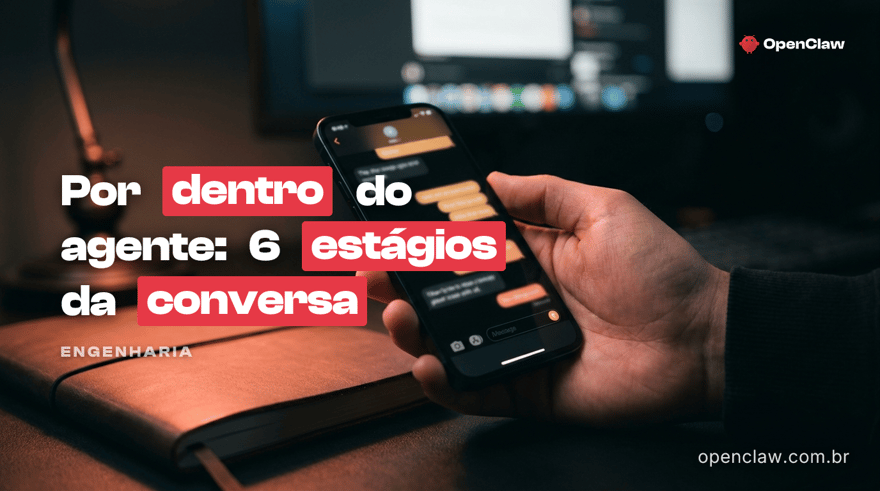
How a Conversational AI Agent Works Inside
The 6 stages of a conversation turn in OpenClaw — with real latency, cost per conversation, and the 4 lines of defense against hallucination.

Equipe OpenClaw · Time de Engenharia & Produto
A Equipe OpenClaw é formada por engenheiros, designers e especialistas em IA dedicados a construir a melhor plataforma de agentes conversacionais para negócios brasileiros. Combinamos expertise…
How a Conversational AI Agent Works on the Inside (OpenClaw Architecture)
How does a conversational AI agent work in practice, turn by turn? This post opens the black box of OpenClaw: from the moment the customer's message arrives on WhatsApp to the text the agent writes back. It's going to be technical. It's worth it if you make product architecture decisions, if you're going to buy a solution and want to evaluate what's under the hood, or if you enjoy knowing what's happening behind the conversation.
TL;DR: each turn goes through 6 stages — ingest, resolve context, select skills, decide next action, execute with guard-rails, persist memory. The entire cycle runs in <2 seconds on Cloudflare's edge, with no fixed server.
Why architecture matters
A conversational agent that seems to work in a demo but breaks in production usually has one of these 4 problems:
- High latency — the customer waits 8 seconds for a response, the conversation dies.
- Uncontrolled hallucination — the agent makes up prices, hours, policies.
- Lost context — the customer comes back after 2 days and the agent "forgets" everything.
- Uncontrolled cost — each long conversation fills up the prompt and you pay a fortune in tokens.
All 4 are architecture choices, not model limitations. OpenClaw was built to avoid all 4 — and the way to understand it is to look at the cycle of a turn.
The cycle of a turn (6 stages)
Imagine the customer just sent the message "quero marcar pra sábado de manhã". What happens between the "received" and the agent's response?
Stage 1 — Ingest (edge worker, <50ms)
The WhatsApp message arrives via Meta's webhook directly on a Cloudflare Worker at the geographically closest point of presence (PoP). In Brazil, this means São Paulo or Rio, with network latency < 20ms.
The worker does three things:
- Validates the webhook signature (HMAC against the WABA secret).
- Identifies the tenant by the receiver's phone number (multi-tenant by
to_number). - Normalizes the payload — audio becomes transcription, image becomes description, location becomes
{lat,lng}, text stays as is.
At the end of stage 1 you have a {tenant_id, conversation_id, user_message} object ready for the next step.
Stage 2 — Resolve context (D1 + KV, ~80ms)
The agent needs 3 pieces of context before deciding:
- Recent history of the conversation (last N relevant turns).
- Long-term memory of the customer (preferences, purchase history, notes).
- Agent state (persona, enabled skills, rules).
All of these come from D1 (Cloudflare's distributed SQLite). D1 replaces traditional Postgres/Mongo — no database server to maintain, access in a few ms from the worker, multi-tenant by tenant_id.
Key point: we don't load the entire conversation into the prompt. OpenClaw's Memory Manager v2 (described in our internal documentation) selects only the turns relevant to the current turn (last N + N with high semantic relevance). This keeps token cost predictable even in conversations with 100+ turns.
Stage 3 — Skill selection (policy engine, ~20ms)
Each agent has a set of available skills — functions it can invoke. Examples: consultar_calendario, criar_evento, gerar_link_pagamento, consultar_pedido, chamar_humano.
Given the message "quero marcar pra sábado de manhã", the policy engine filters:
- Skills compatible with the detected intent (scheduling).
- Skills allowed for this conversation phase (not every skill is available all the time).
- Skills that this tenant has enabled (calendar only appears if the tenant integrated it).
In the end you have a small subset of skills passed to the model — not all 50 possible ones, just the 4 that make sense here. This drastically reduces the chance of the model invoking the wrong skill.
Stage 4 — Decision (LLM call, 400-1200ms)
Now the model comes in. OpenClaw makes a single call to a frontier LLM (Anthropic Claude, OpenAI GPT, Google Gemini — configurable per tenant) with:
- System prompt = agent persona + rules + available skills.
- History = turns selected in stage 2.
- User message = message from the current turn.
The model responds with one of two things:
- Final response (text sent directly to the customer).
- Tool call (request to execute a specific skill with parameters).
In the example "quero marcar pra sábado de manhã", the model typically returns:
{
  "tool": "consultar_calendario",
  "args": { "date_range": "2026-04-19 06:00 to 12:00" }
}
Stage 5 — Execution with guard-rails (variable, ~100-500ms)
The skill does not run in the model. It runs in our own code, which:
- Validates parameters (does date_range have the correct format? Is it within the tenant's rules?).
- Checks permission (does this agent have the right to query this calendar?).
- Executes the call (Google Calendar API in this case).
- Returns structured result to the model.
Why does this matter? Because the model never fabricates the result. If the calendar returns [10h, 11h], that's exactly what goes to the next call. If the skill fails, the model knows it failed. Zero risk of the agent "making up" that there's an opening at 9h when there isn't.
For cases involving sensitive information (price, deadline, client name), the pipeline forces a tool call — it doesn't let the model respond from its own "knowledge." This eliminates the most common class of hallucination in commercial agents.
Stage 6 — Response and persistence (~50ms)
With the skill result in hand, the model makes the second call — now to form the final response to the client. E.g.:
"I have Saturday at 10am and 11am. Which do you prefer?"
In parallel, the worker:
- Sends the message back through the WhatsApp API.
- Persists the complete turn (user + assistant + tool calls + duration) in D1.
- Updates long-term memory if the turn produced a new fact (e.g., "client prefers Saturday").
- Emits an observability event (latency metric, token cost, escalation rate).
All of this runs in parallel. Persistence does not block message delivery — the client doesn't wait for D1.
Where the defense against hallucination is
An agent that hallucinates in production loses trust fast. OpenClaw has 4 lines of defense:
- Forced source-of-truth. Factual data (price, time, name) always comes from a skill, never from the model alone.
- Double verification on sensitive data. Scheduling is confirmed with the client before persisting. Payment is confirmed before granting access.
- Explicit negative rules. Each agent's persona includes "never make up X, Y, Z" — the model obeys.
- Fallback to human. When no skill covers the question, the agent says
"let me check with the team"and opens a ticket — it doesn't guess.
In audits we conducted over the last 6 months (real conversations manually reviewed), the factual hallucination rate stayed below 0.3% of turns — and almost all cases were due to config (tenant forgot to enable a relevant skill), not model error.
The cost per conversation
Good architecture is invisible until you look at the bill. Given that each turn makes 1-2 LLM calls + D1 lookups, the typical cost per complete conversation (10-15 turns) is:
Equipe OpenClaw
Published on May 27, 2026